Fabdose
Product designer / freelancer

Check your model before it goes to the supplier

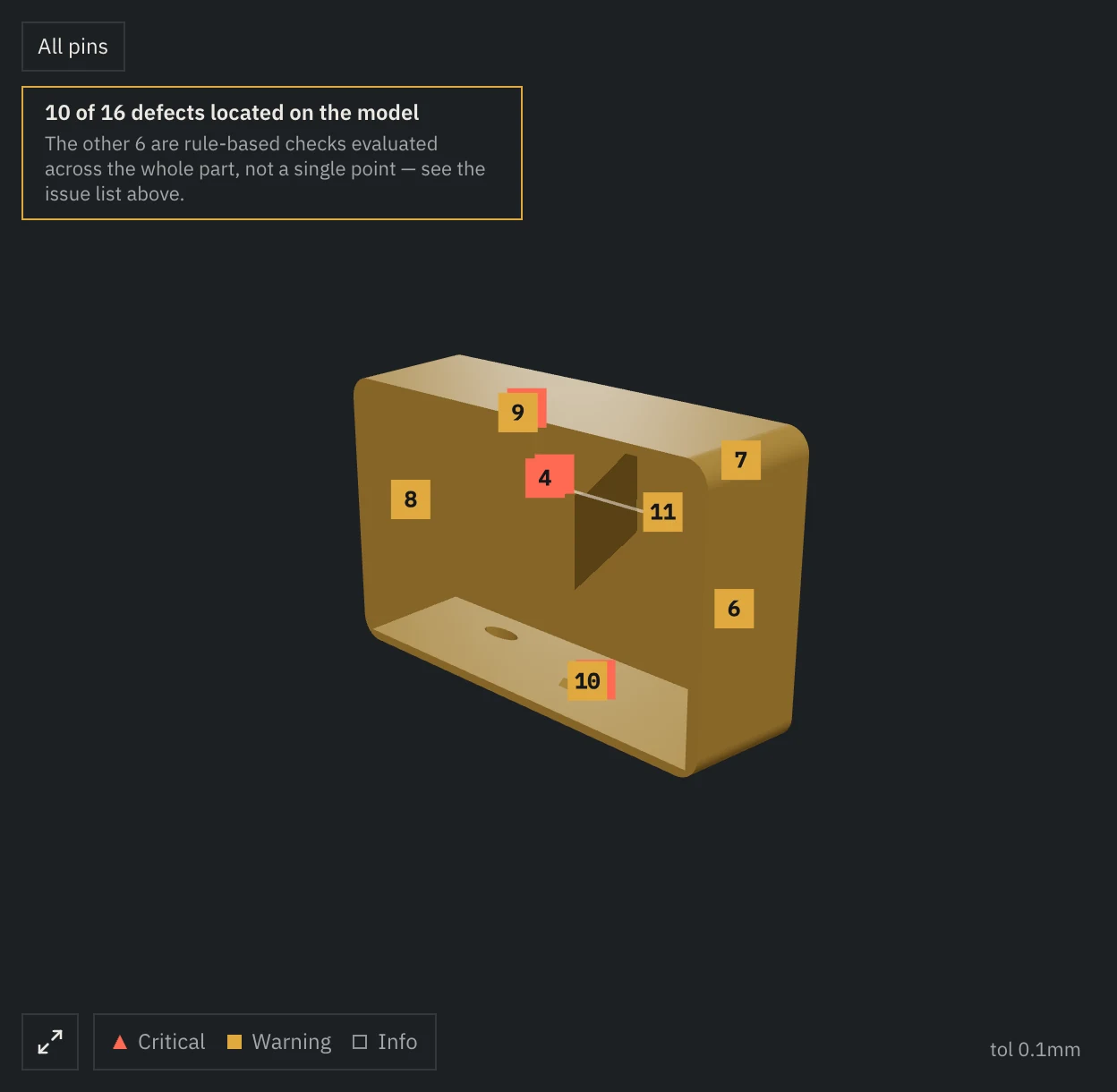
Upload your STEP file and pick a process, and the issue list opens with a fix attached to each issue. Issues with a located spot are pinned on your own model.

A desktop app for STEP files only.

A desktop app for macOS and Windows. Free is a combined limit of 5 analyses and 30 chat questions; Pro is $35 per month, or $350 billed yearly.

Pins on the model and one selected issue
02 Scene

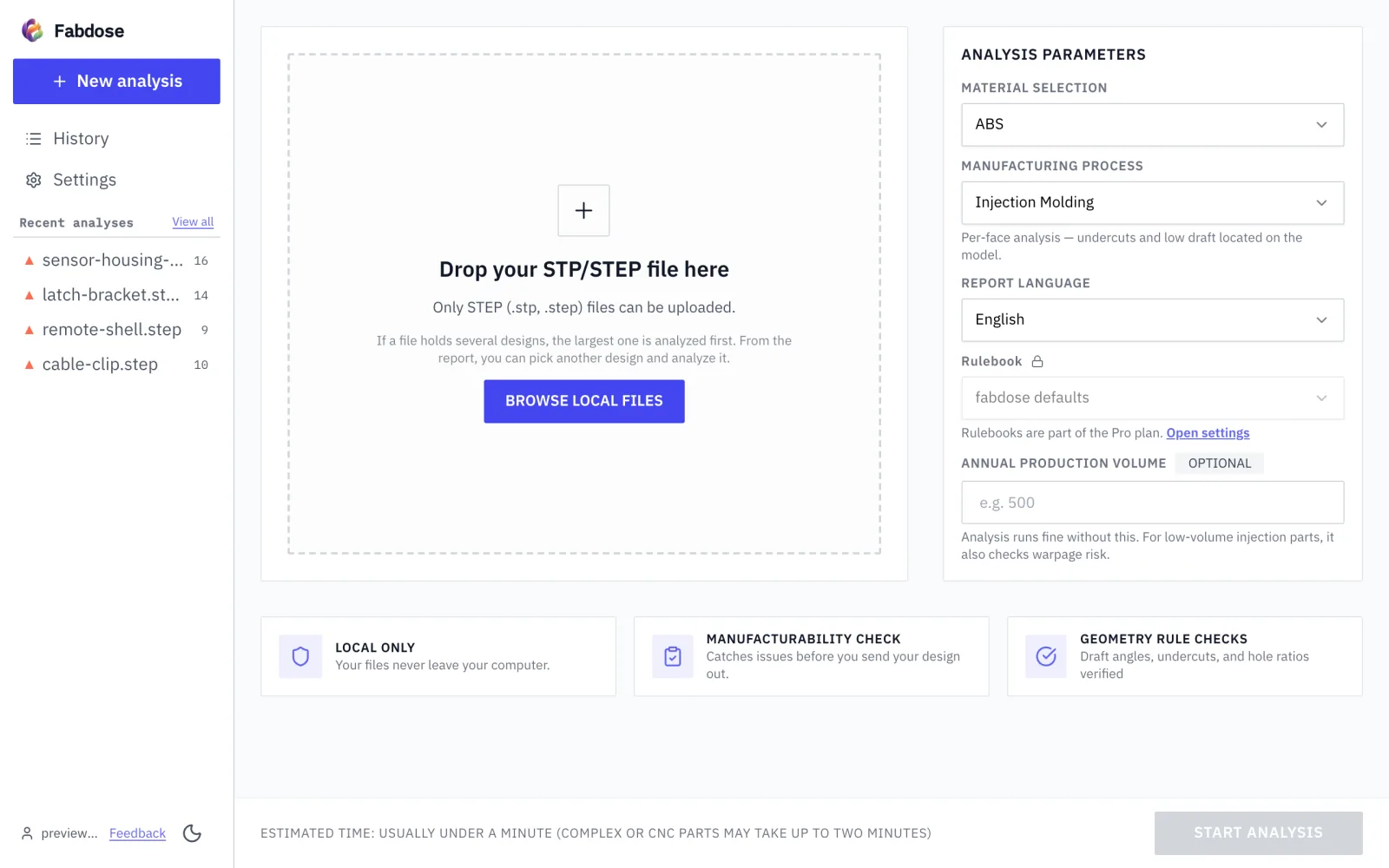
Upload the STEP file you are about to send to the supplier, and pick a process on the upload screen.

Pick an issue in the report and its fix appears; if the issue has a located spot, a pin on the model points to it.

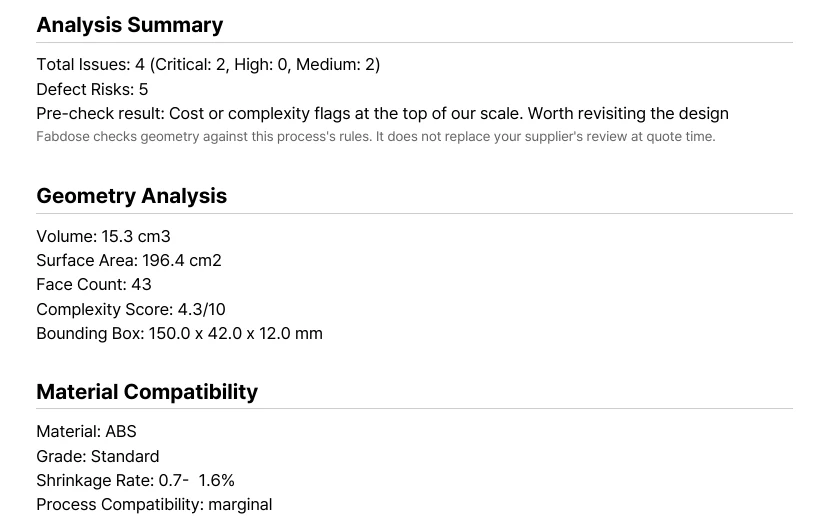
Export the report as a PDF and take it along when you send the file to the supplier.

03 Moments

Upload a file, pick an issue, export a PDF.

  1. App screen
    M1 3 steps

    Upload the file and pick the process on the upload screen.

    Pick a file, pick a process, see locations on your model.

    Issues without a located spot stay in the list, with no pin.

  2. App screen
    M2 Annotated report

    The report has an issue list and fixes.

    Pick an issue and, if located, find its pin on the model.

  3. The exported PDF
    The exported PDF
    M3 What you keep

    You can export the report as a PDF.

    What you do with it is up to you.

04 Limits

Does not replace supplier review or quotes.

  • No checks on holes, ribs, bosses, or fasteners.

Try it on your own file first

A desktop app for macOS and Windows. Free is a combined limit of 5 analyses and 30 chat questions; Pro is $35 per month, or $350 billed yearly.

Download

A desktop app. Start with one STEP file.

This site uses analytics and session-recording cookies to understand how designers use Fabdose and to improve the product. Your CAD files are never involved. See our Privacy Policy.

Pre-Quote Manufacturability Check on Your Own Model | Fabdose