Even without a DFM specialist, see the issue list, fixes and 3D locations before you hand off
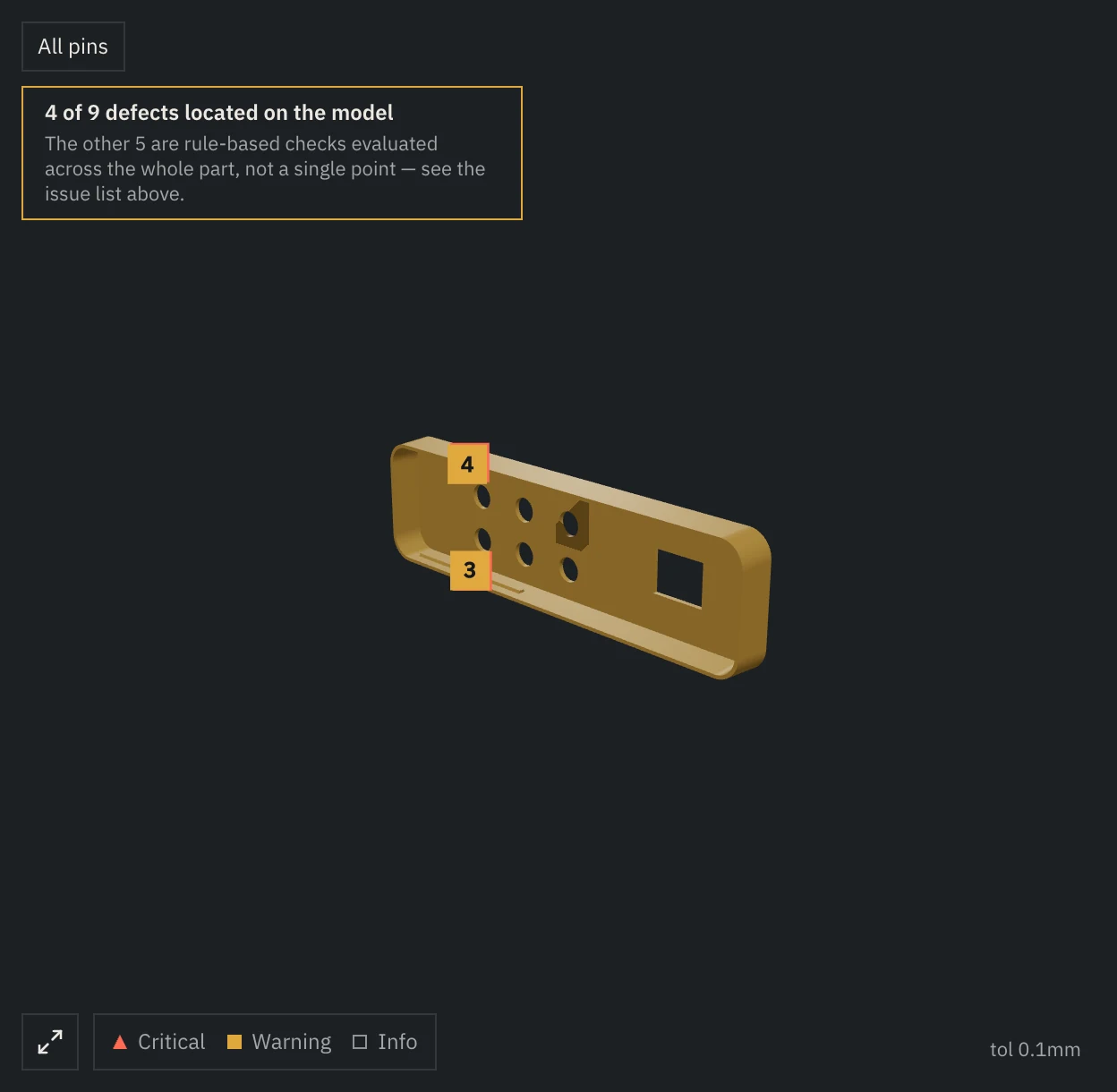
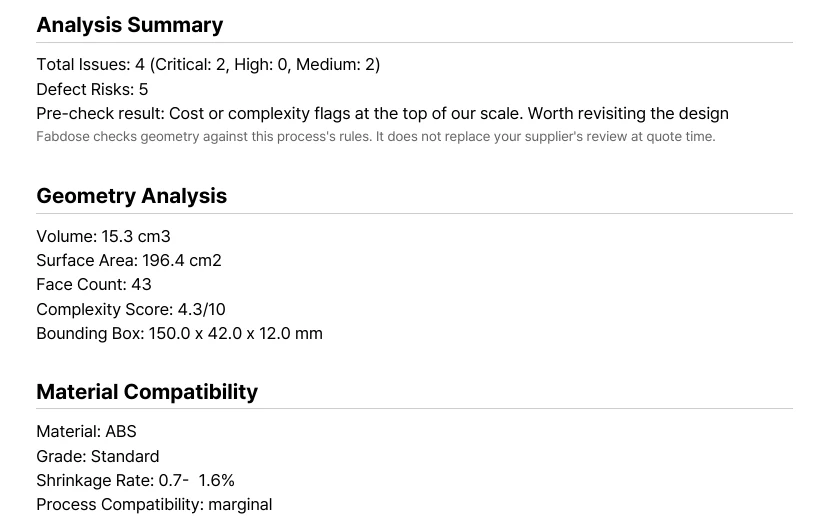
Upload the project's STEP file and issues with a located spot are pinned on the model, each with a fix attached. Export that report as a PDF and bring it to a client or manufacturer meeting.
A desktop app for macOS and Windows. Free is a combined limit of 5 analyses and 30 chat questions; Pro is $35 per month, or $350 billed yearly.
App report screen
First page of the exported PDF
Based on injection molding. Limits are listed below.
02 Flow
From the project file to the meeting
F1 Project STEP
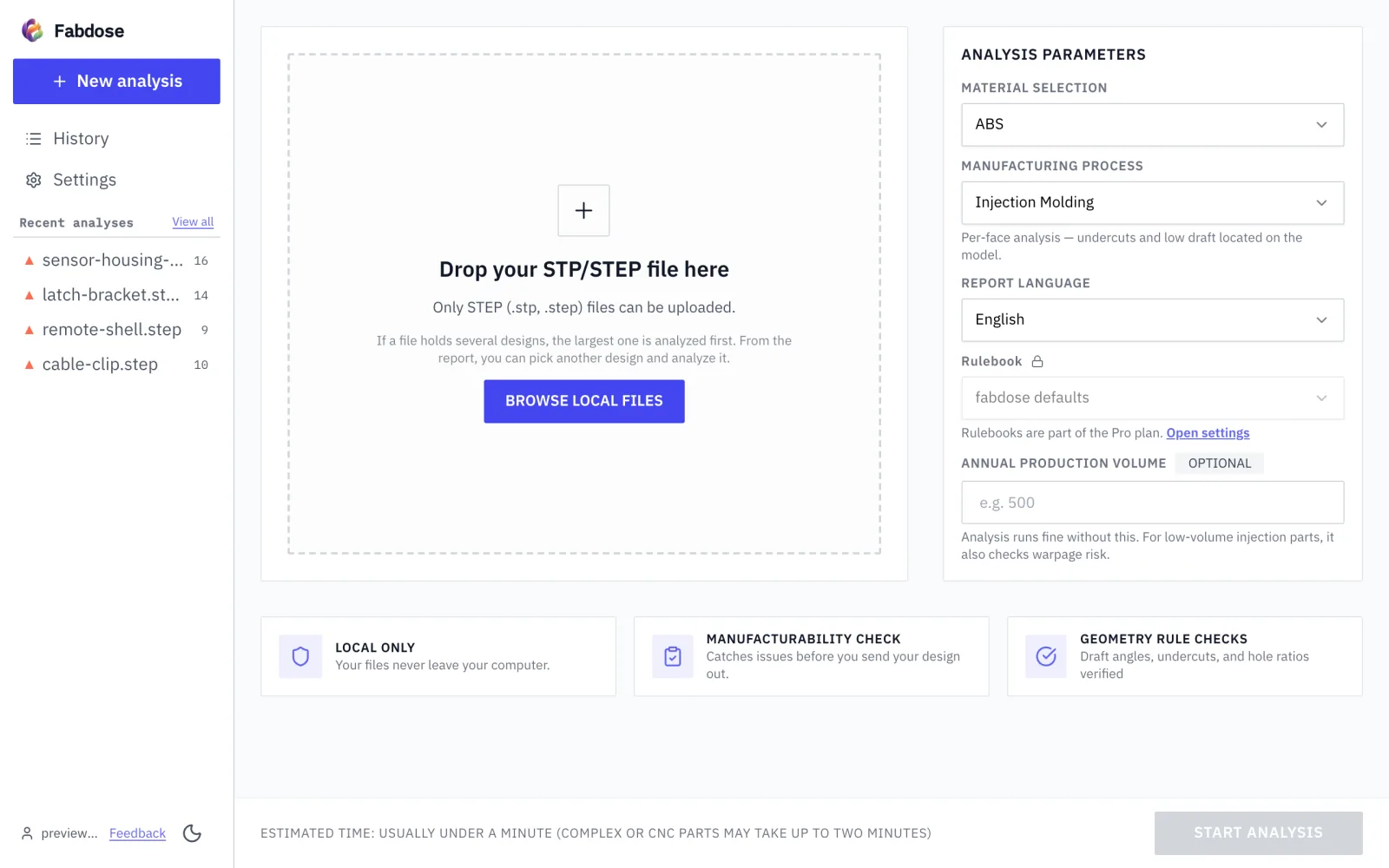
Upload the project's STEP file and, if your team has a rulebook, pick it on the upload screen.
F2 Report
Pick the issues one by one in the report to see each fix; for issues with a located spot, a pin on the model points to it.
F3 PDF
Export the report as a PDF.
F4 Meeting
Hand the PDF to your client or bring it to the manufacturer meeting.
03 3 steps
Pick a file, choose a process, export a PDF
M1 Pick a file
Only STEP files can be uploaded
Both .stp and .step extensions work.
M2 Choose process
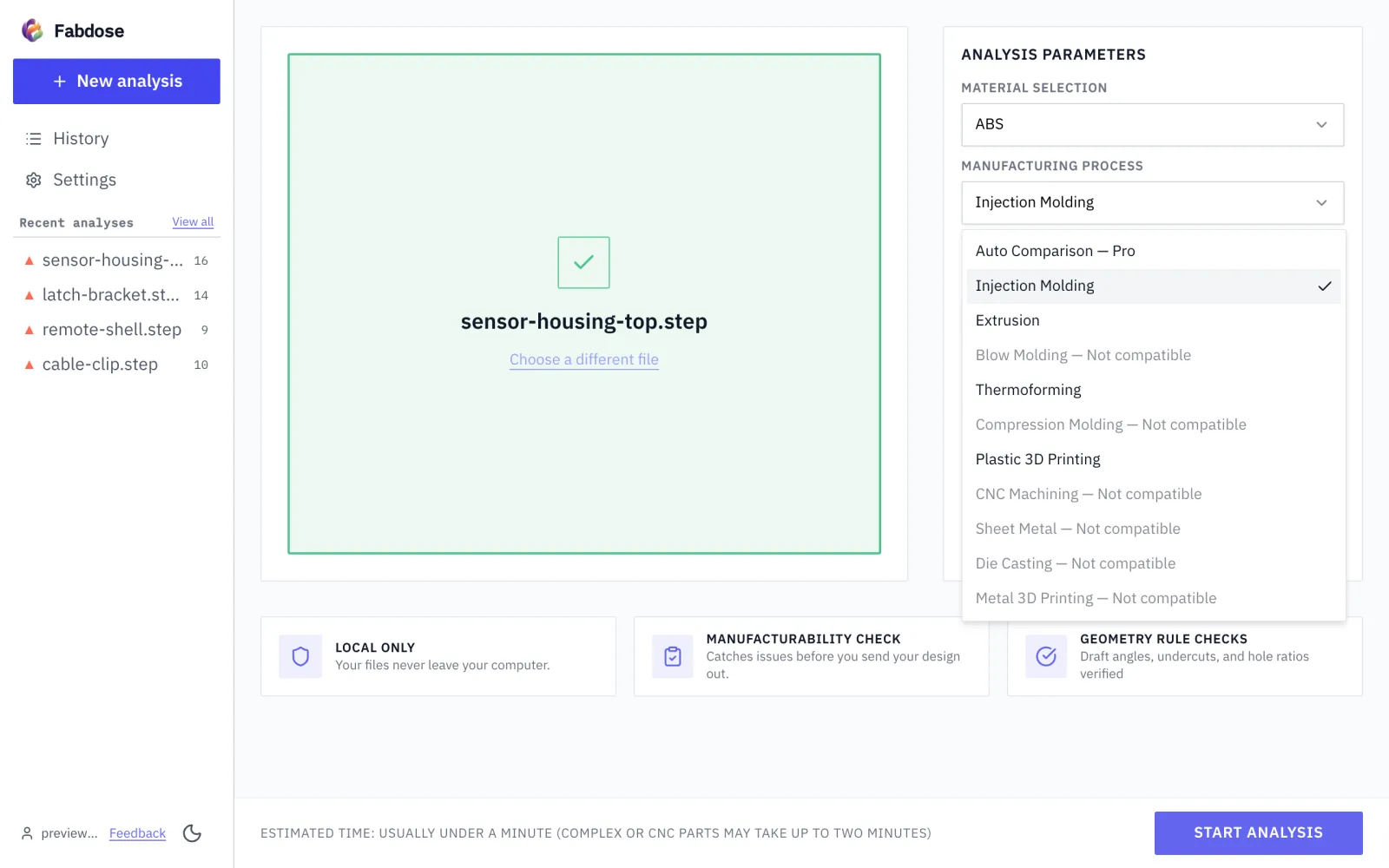
Choose the process on the upload screen
Processes other than injection molding can be chosen for analysis too.
M3 Export as PDF
Export the report as a PDF
It becomes a document to hand to your client or bring to a meeting.
04 Many projects
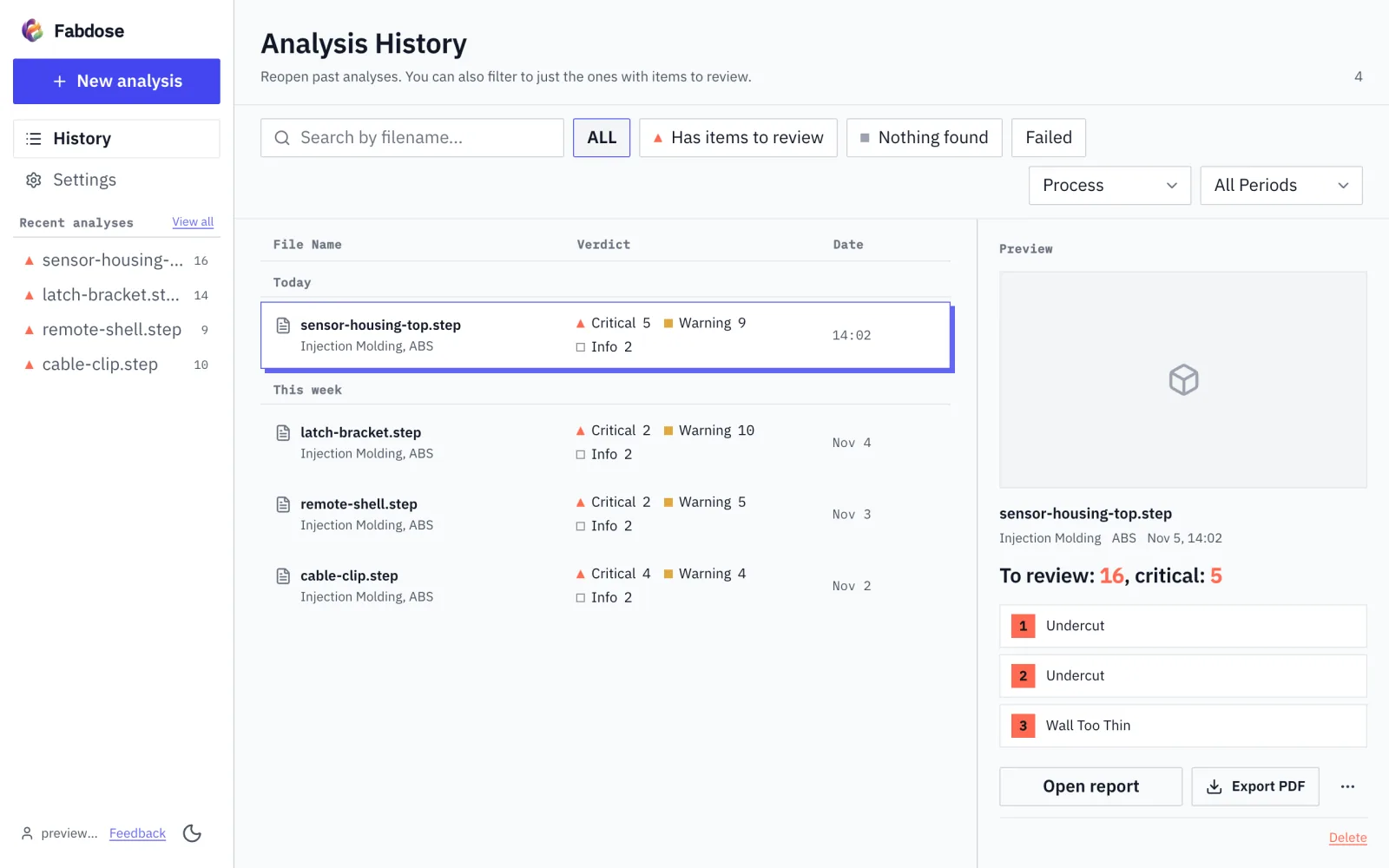
Upload each project file and read its report
Analysis history: reopen a past analysis
05 Team rulebook
Set your delivery standard as a rulebook so your team uses the same numbers
If you already hold your delivery standard as numbers, you can set it once as a rulebook instead of applying it designer by designer.
R1 Step 1
On a logged-in Pro account, change the per-process numeric thresholds (such as thickness, draft angle, rib ratio and corner radius) to your own delivery standard and save them as a rulebook.
R2 Step 2
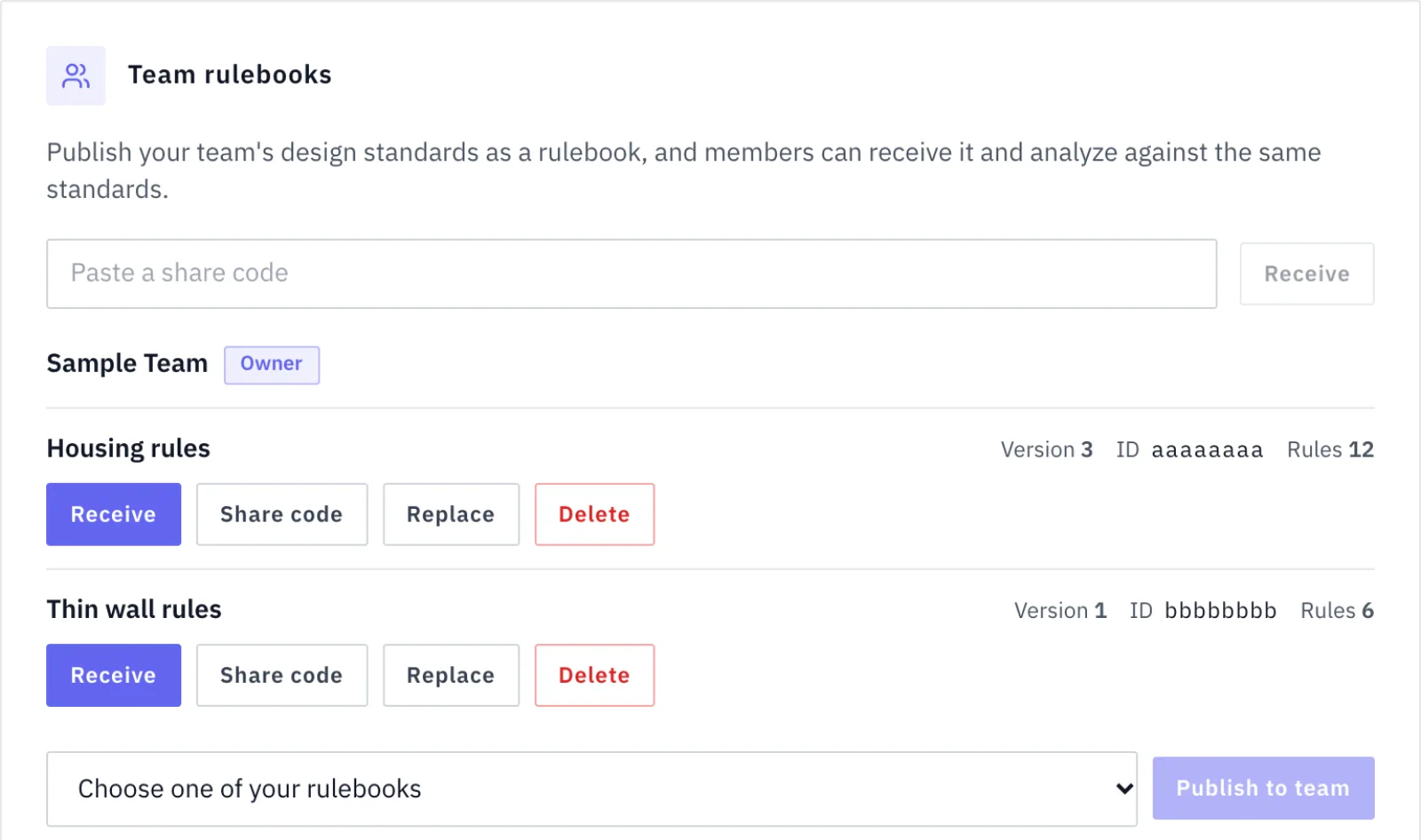
When the Team owner publishes the rulebook to the team, teammates receive it from the settings screen or with a share code and use it as a read-only copy.
R3 Step 3
Before analyzing, each teammate picks that rulebook on the upload screen and analyzes against the same numeric standard. The top of the report shows the rulebook name, fingerprint and number of applied items.
Rulebook settings screen: editing per-process thresholds and publishing to the team
Team starts at 3 seats. It costs $90 per month for 3 seats and $30 per month for each added seat, or $900 billed yearly for 3 seats.
Applying the rulebook is something each teammate chooses before analyzing. Nothing is forced automatically.
06 Limits
Only inside concave corner radii and blind pockets are measured. Holes, ribs, bosses and fasteners are not detected.
Upload a STEP (.stp, .step) file and try an injection molding analysis first.
This site uses analytics and session-recording cookies to understand how designers use Fabdose and to improve the product. Your CAD files are never involved. See our Privacy Policy.
STEP File Check Before Handoff, No DFM Specialist Needed | Fabdose